MED 1135 Office Lane Expansion Project — Phase 2
Site: 1618 Lee Victory Pkwy, Smyrna, TN 37167
Scheduled: Wednesday, July 15, 2026 at 9:00 AM
Focus: Phase 2 data port verification, workstation setup, front desk setup, AP install, testing, and photo documentation.
Phase 2 Job Summary
Phase 2 Data Ports Workstations Front Desk AP Install- Verify all new Phase 2 data ports are patched in and live.
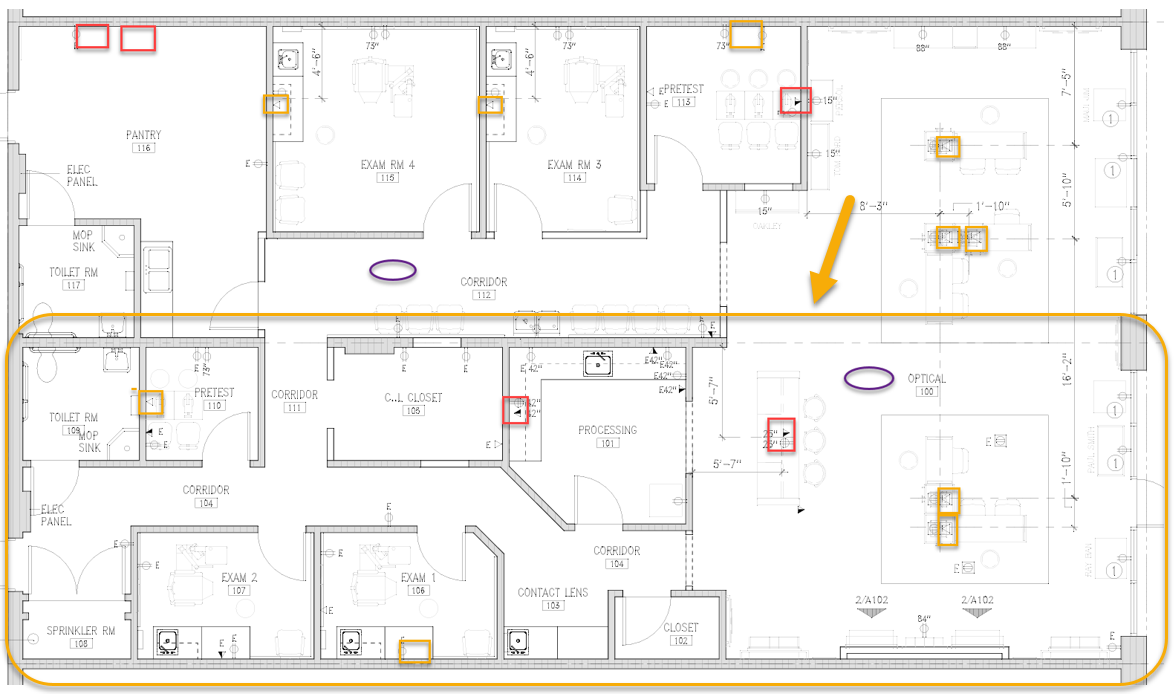
- Use layout color references: yellow boxes are single data ports and red boxes are double data ports.
- Set up workstations in Phase 2.
- Install additional AP at the purple oval location.
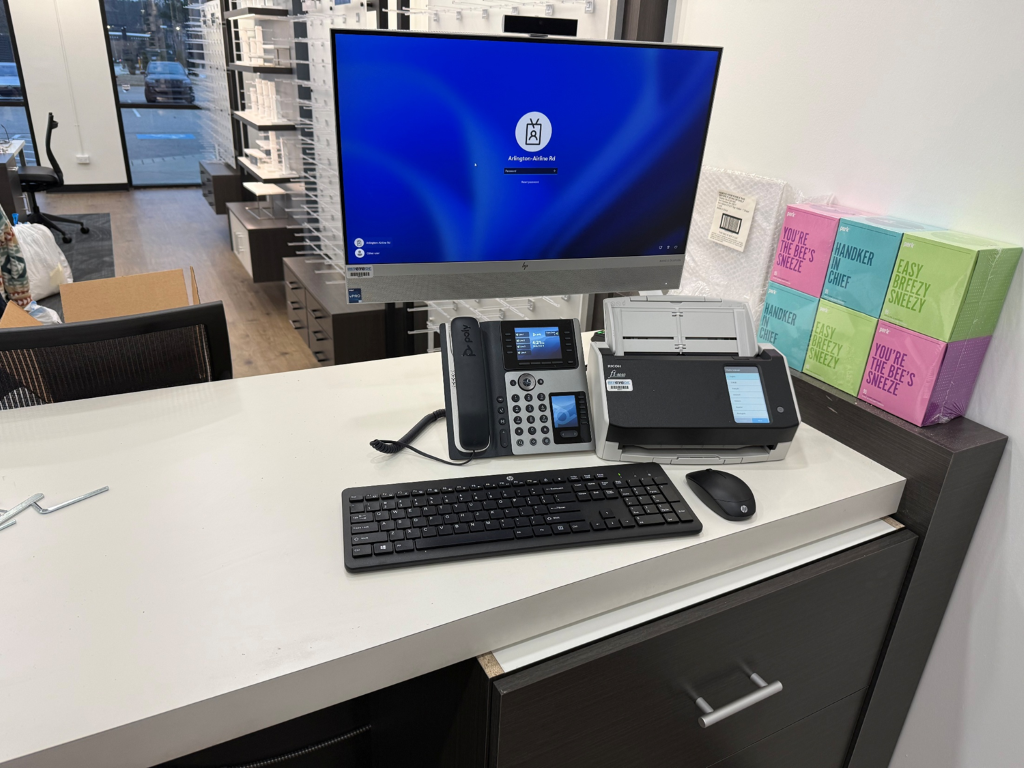
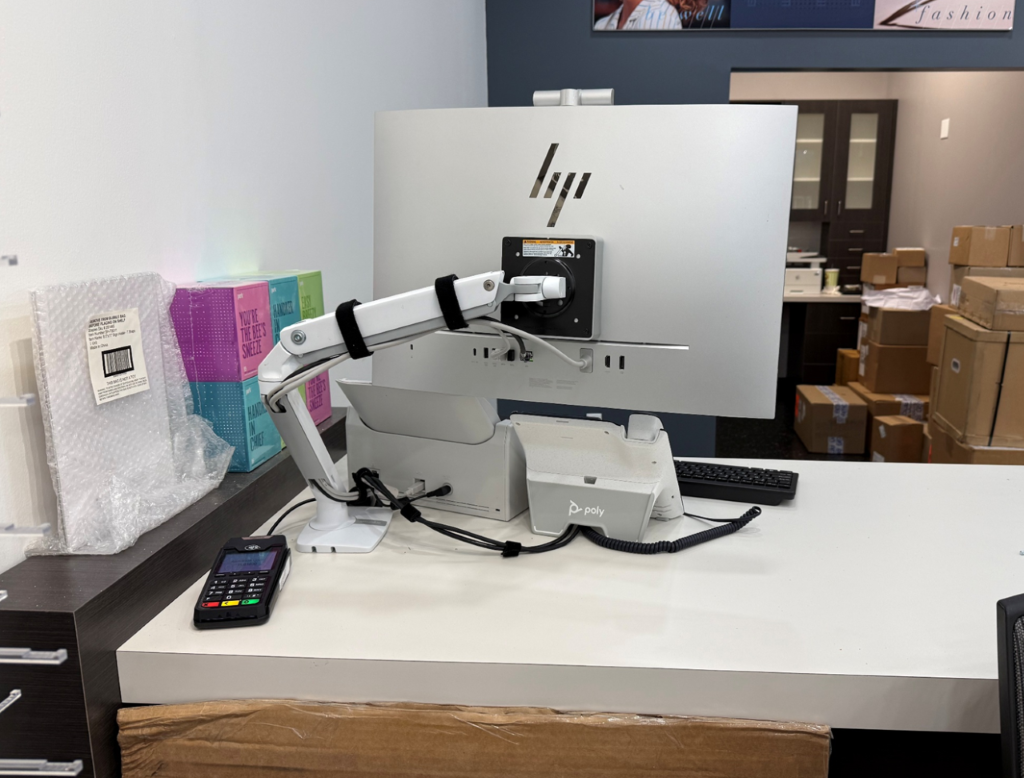
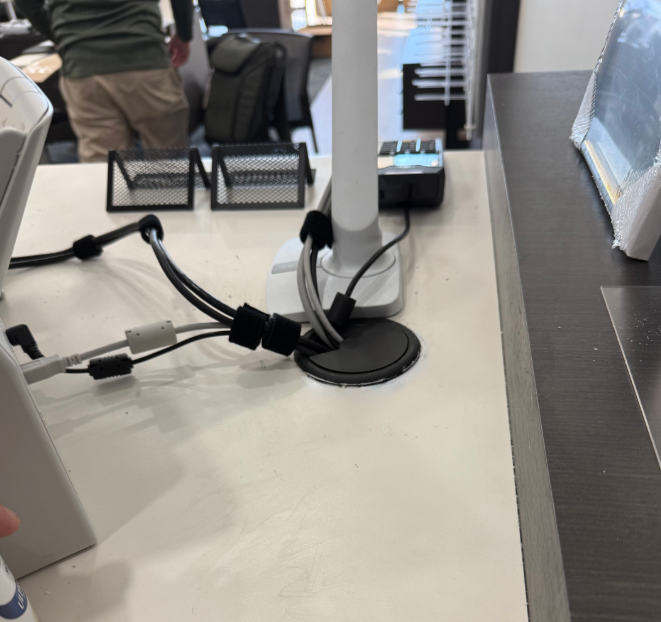
- Complete front desk all-in-one arm/grommet work with MED associate approval.
- Take and upload photos of every new workstation and the network area.
Key Contacts
Quick Links
Use the photo upload link for every new workstation, front desk setup, port/AP evidence, and network area closeout photos.
Interactive Phase 2 Images
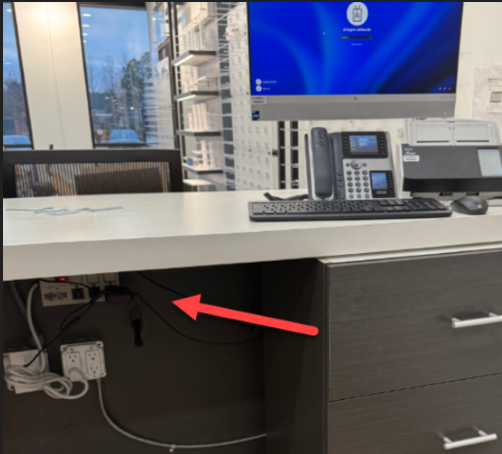
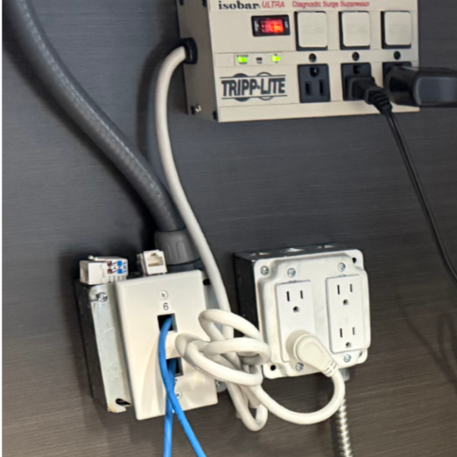
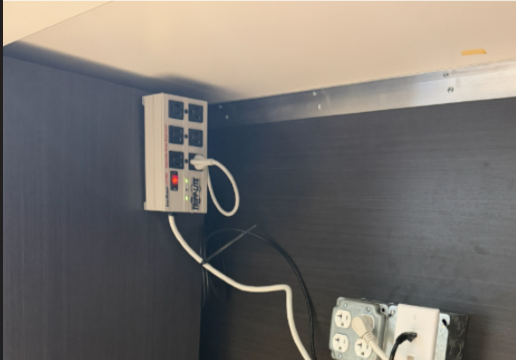
Tap any image to enlarge. Use the links to open images in a new tab.
Phase 2 Scope Checklist
Saved on this device.
Field Notes
Layout Color Reference
- Yellow boxes: single data ports.
- Red boxes: double data ports.
- Purple oval: additional AP location.
Phase 2 Workstation / Port Testing Reference
| Area | Action | Validation Required |
|---|---|---|
| Phase 2 data ports | Verify patched in and live. | Document pass/fail and identify any failed, unlabeled, or inaccessible ports. |
| Computers | Set up workstation equipment and have MED associate log in. | Confirm each computer reaches expected login/desktop state. |
| Printers | Verify printer operation where assigned. | Print test page or complete MED-approved print validation. |
| Phones | Verify phones at assigned workstations. | Confirm calling in and out where phones are in scope. |
| CC machine | Confirm CC machine operation with onsite staff. | Document working status or exception. |
| Additional AP | Install at purple oval location. | Verify power/status and take closeout photo. |
| Front desk all-in-one | Drill approved grommet and arm holes, mount arm, route cords. | Confirm stable mount, clean routing, and MED associate approval. |
Testing Checklist
Saved on this device.
Exceptions to Document
- Failed or unlabeled data ports.
- Ports not patched, blocked, or inaccessible.
- Missing workstation equipment.
- Computer login issues.
- Printer, phone, CC machine, or AP failures.
- Front desk side not approved or unable to drill due to obstruction.
- Furniture, drawer, power, cable path, or mounting issues.
Closeout Checklist
Saved on this device.
MED 1135 Office Lane Expansion Project 1st Phase COMPLETED
Site: Smyrna, TN
Part 1: 5/18-5/19 | Techs: Scott Jewett and Chris Dormio | GM: Tristan Brown
Job Summary
Office Refresh Lane Expansion Network Rack Workstations- Take pictures of network area on Phase 2 side.
- Take pictures of each new workstation on Phase 1 side.
- Verify ordered inventory against packing list.
- Run/loop Phase 1 cables to network room.
- Update network rack to MED standards.
- Install APs and verify Phase 1 data ports live.
- Set up workstations with MED associate validation.
Key Contacts
Quick Links
The Scott/Alex Working Chat and transcript PDF show the behind-the-scenes AI planning discussion used to support this project.
Interactive Job Images


Tap any image to enlarge. Use the links to open images in a new tab.
Part 1 Scope Checklist
Rack Build Notes
Color Reference
- Yellow: Internet/WAN to MX
- Blue: Switch/uplink to MX
- Orange: WAP to switch/MX as directed
- Black: Patch panel to switch
Cross Connect Patching Reference
| From | To | Cable |
|---|---|---|
| ISP modem primary WAN/Internet port | Meraki MX68 port 1 Internet | 2 ft yellow patch cord |
| Patch Panel 2 port 24 AP1 horizontal drop | Meraki MX68 port 11 PoE | 2 ft orange patch cord |
| Patch Panel 2 port 23 AP2 horizontal drop | Meraki MX68 port 12 PoE | 2 ft orange patch cord |
| Patch Panel 2 port 22 Cradlepoint horizontal drop | Meraki MX68 port 2 Internet | 2 ft yellow patch cord |
| Meraki MS130 port 23 Switch 1 | Meraki MX68 port 3 LAN | 2 ft blue patch cord |
| Patch Panel 1 ports 1-20 Data/VLAN drops | Meraki MS130 Switch 1 LAN ports 1-20 | 1-2 ft black patch cords |
Shipment Tracking
| Source | Qty/Order | Tracking Number | Status/Date |
|---|---|---|---|
| CDW | Qty 2 | 1ZE633380321006151 | Shipped 4/1/2026 |
| CDW | Qty 1 | 1Z8Y30250324623113 | Shipped 4/2/2026 |
| CDW | Qty 1 | 1ZA358W00359633941 | Shipped 4/1/2026 |
| CDW | Qty 1 | 1ZA358W00359635654 | Shipped 4/1/2026 |
| CDW | Qty 1 | 1ZE633380321059121 | Shipped 4/3/2026 |
| CDW | Qty 1 | 1ZE633380322928654 | Shipped 5/6/2025 |
| Granite | UPS | 1Z7X569X0209189563 | Meraki/network shipment |
| Phone Equipment | Order 6443367 | 1Z7X569X0303115614 | Phone equipment shipment |
Inventory Reference
Closeout Checklist
Ask Alex, the Network Deployment Field Assistant for rack, patching, WAP, testing, or closeout guidance.
Ask me a question